Your community, in one app
Visitors scan the QR code at the entrance and residents reply by chat from the app. The property management gets a console for units, invitations and notices.
How it works
Visitors install nothing. Residents reply from wherever they are.
- STEP 1
The visitor scans the QR code
It is at the entrance. They scan it with the phone camera and write from the browser.
- STEP 2
The resident gets a notice
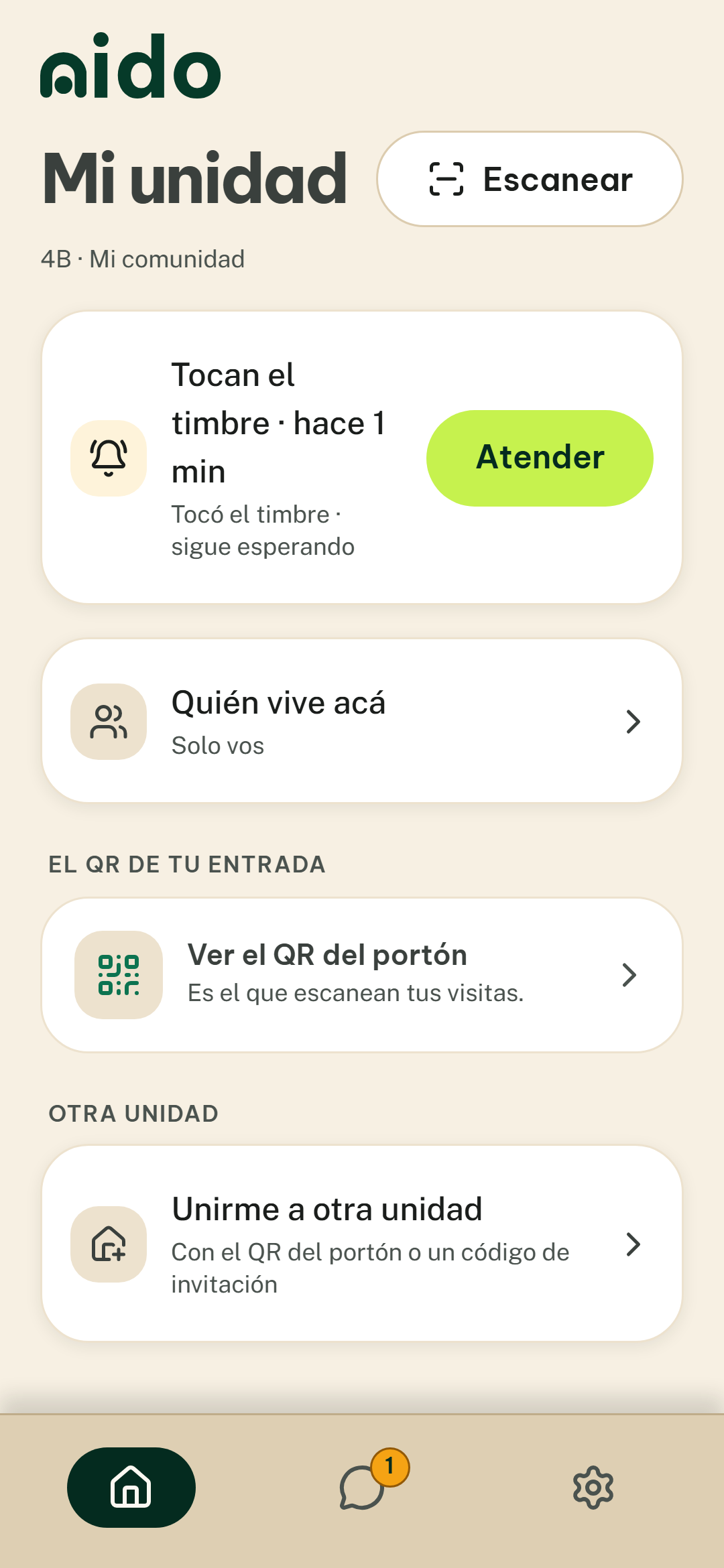
The doorbell is a message in the app. The resident replies to the visitor in a conversation.
- OptionalSTEP 3
Go down to receive, or open
If your entrance has a compatible connected device, the resident can also open from the app.
Something for everyone
The community pays. Residents, the front desk and visitors do not.
Property management
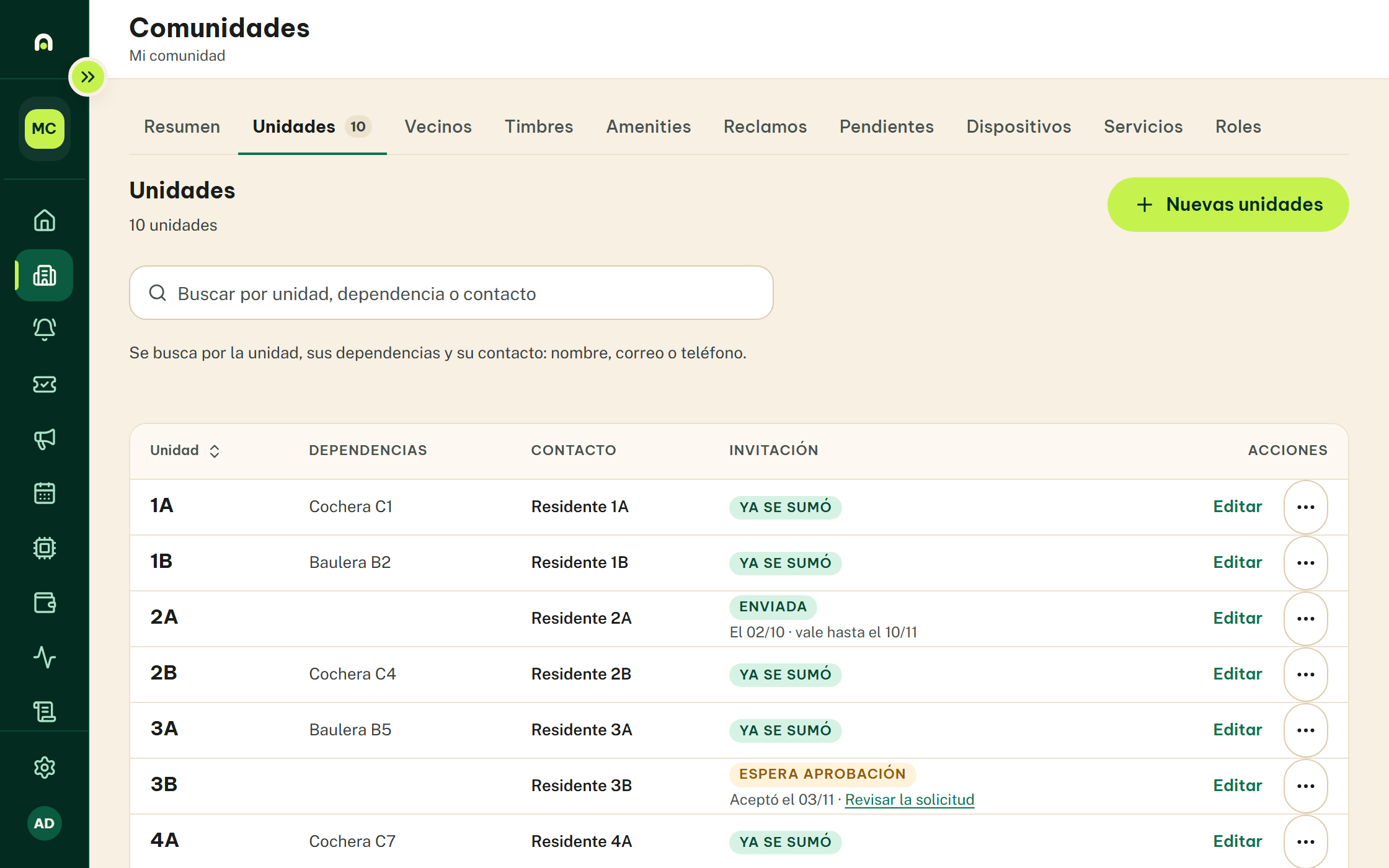
Sets up the units, invites residents and sends notices from the console.
Log in to the consoleResidents
Get the doorbell as a message, reply to the visitor and read notices from the property management.
Front desk
Sees the entrance doorbells and chats with the visitor from the same app.
Visitors
Scan the QR code and write from the browser. They install nothing and create no account.
See Nido in action
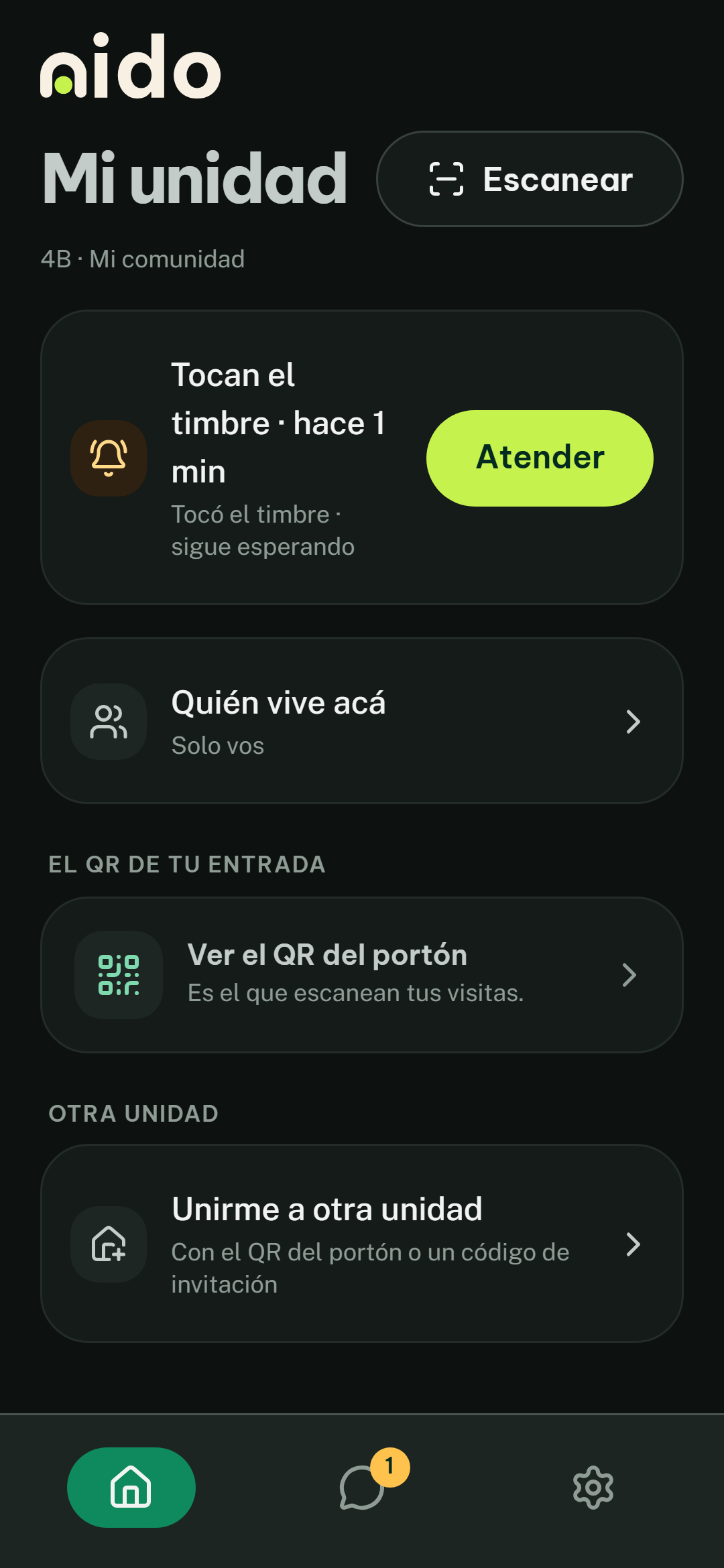
The console, for the property management. The app, for residents and the front desk, in light and dark.
What the property management does
Everything about the community in one place: who lives where, how people get in and what is announced.
Units and residents
Add units and invite residents by email.
Entrances and doorbells
One QR code per entrance, ready to print, and a new one whenever needed.
Notices
Write a notice and every resident gets it in the app.
Visitor passes
Passes with an expiry date for people who come for a day or a season.
Changes with your agent
Your community’s agent approves data changes.
What we look after
No passwords
You sign in with a code sent to your email.
The chat belongs to the unit
Your unit and the front desk can see the conversation with a visitor.
Delete your account
From the app, whenever you want.
An agent by your side
Sets things up with the property management and stays as your contact.
One plan, based on your units
Monthly fee per community. Residents do not pay.
- 1 to 20 units
- ARS 56,000
- 21 to 60 units
- ARS 88,000
- 61 units or more
- ARS 136,000
Add communities to Nido
An agent adds communities, sets them up and supports them. They are each property management’s contact with Nido.
The app, for residents and the front desk
The property management invites you by email. You install Nido and sign in with the code you receive.
Frequently asked questions
Does the visitor have to install anything?
No. They scan the QR code with the phone camera and write from the browser.
How do I sign in to the app?
The app has no passwords: you sign in with a code sent to your email. The admin console does use a password.
What happens if I lose my phone?
Install Nido on another phone, sign in with the code sent to your email and delete the account from there.
Who sees my messages?
The people in the conversation and your community’s front desk.
Can I delete my account?
Yes, from the app, whenever you want.
Who pays for Nido?
The community, through its property management. Residents do not pay.
Bring Nido to your community
Leave us your details. A Nido agent will write to you to set everything up with you.
- The fee depends on the number of units.
- You agree the setup terms with the agent.
- Residents do not pay.
We got your details
We will write to the email you left.